
WIDE & WIDER
A stereo widener that opens a track, mono or stereo, into a wide, natural image with depth — without the phaser or chorus sound, and without falling apart in mono. In every mode but one, the mono sum stays exactly the original.
Full version during the trial. No account, no card. Final price. Nothing is added at checkout.
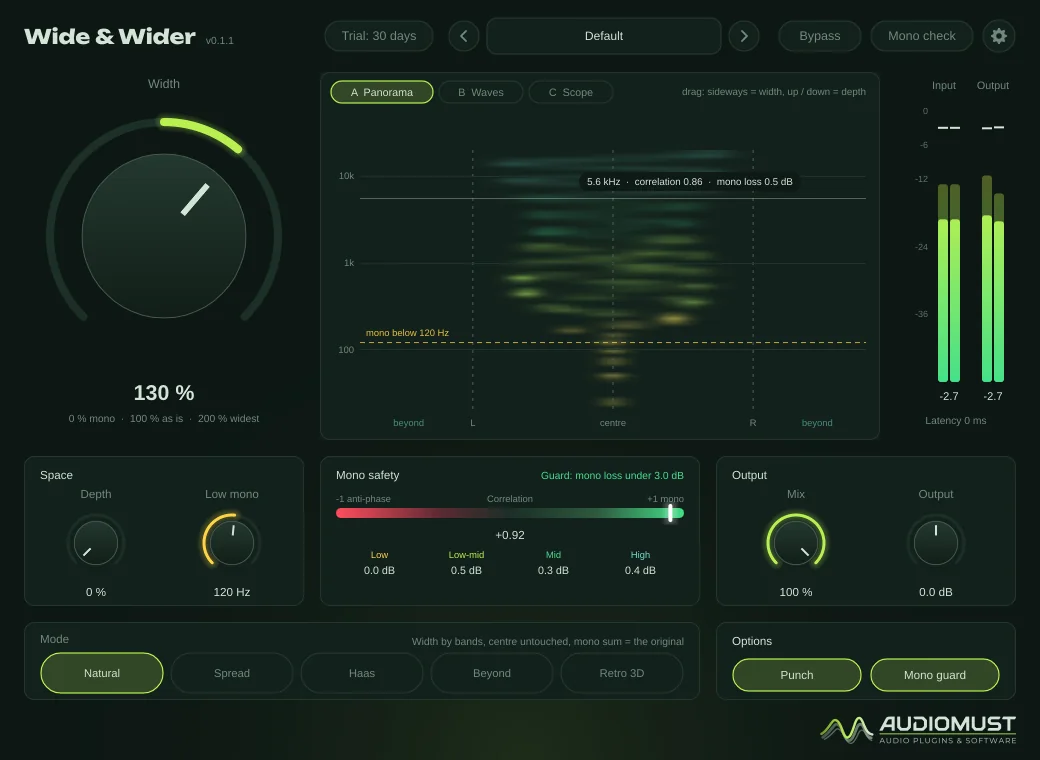
Features
- Mono-safe: in every mode except Retro 3D, the mono sum is exactly the original
- Turns mono into stereo, or widens stereo
- Five modes: Natural, Spread, Haas, Beyond, Retro 3D
- Depth: space and distance without a reverb tail
- Low mono keeps bass and kick in the centre
- Punch keeps the hits in the centre and widens the sustain
- Mono guard, per band
- Three displays: Panorama, Waves and Scope, plus a mono safety panel
- 25 factory presets, plus your own
- Zero latency
How it works
Everything happens in Mid / Side. The Mid is what a mono listener hears; the Side is the stereo part. In every mode except Retro 3D, Wide & Wider only touches the Side and never changes the Mid, so nothing can cancel or comb-filter in mono: a mono listener simply hears the track without the added width.
Above 100 % width it creates new Side from the Mid, with a method that depends on the mode — that is how a mono source becomes stereo. The Mono guard keeps the stereo level within a limit of the mono level, band by band, so the track never sounds much thinner in mono.
Controls
| Width | 0 % is mono, 100 % the original untouched, 200 % the widest. You can also drag inside the display: sideways for Width, up and down for Depth. |
|---|---|
| Depth | Short early reflections placed only in the sides: space and distance without a tail, and nothing at all in mono. |
| Low mono | 20–500 Hz: below this, everything is mono. |
| Mix · Output | Blend with the original; ±12 dB. |
| Punch | On by default. After each attack the added width is pulled back for a moment: the hit keeps its punch in the centre, the sustain gets the width. |
| Mono guard | On by default. Limits how much quieter the track can sound in mono (3 dB by default, set in Settings). |
| Mono check | Listen in mono, as on a phone or a club PA. |
Double-click Width to return to 100 %.
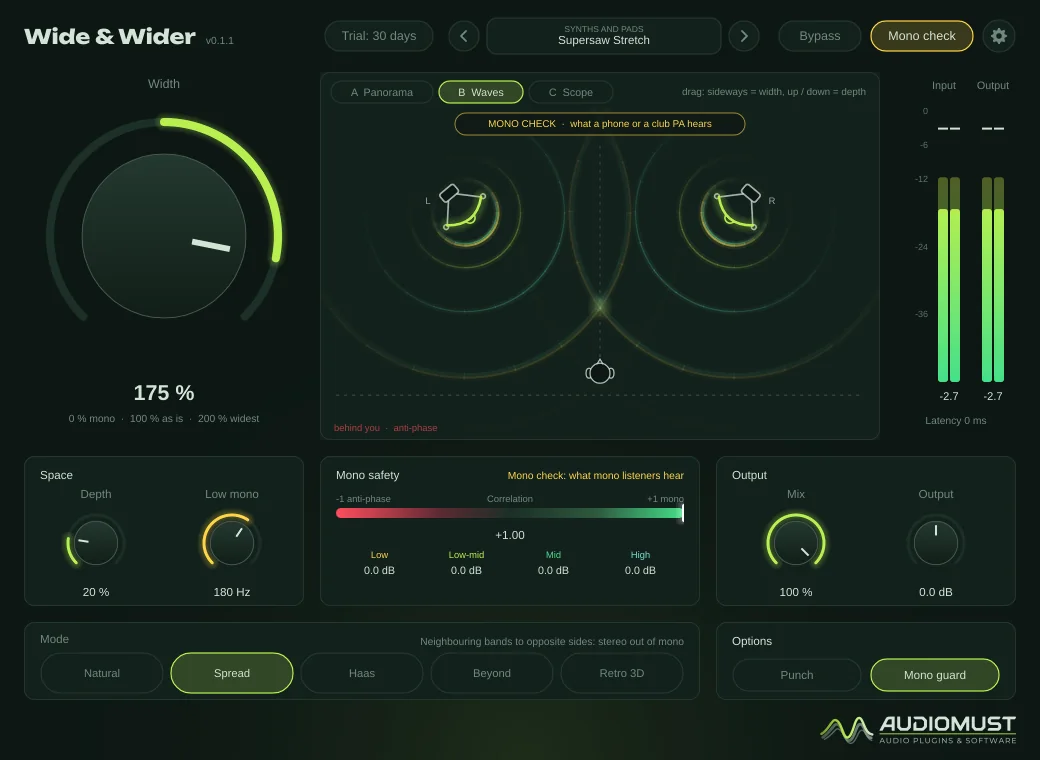
The five modes
| Natural | Slow, fixed phase rotation, never modulated, so no phasing or chorus. A voice stays focused in the centre. The most natural, and the default. |
|---|---|
| Spread | Neighbouring frequency bands go to opposite sides. The strongest way to make stereo out of mono. |
| Haas | The precedence effect (3 ms / 15 ms), but placed in the Side: the mono sum has no comb filter at all. |
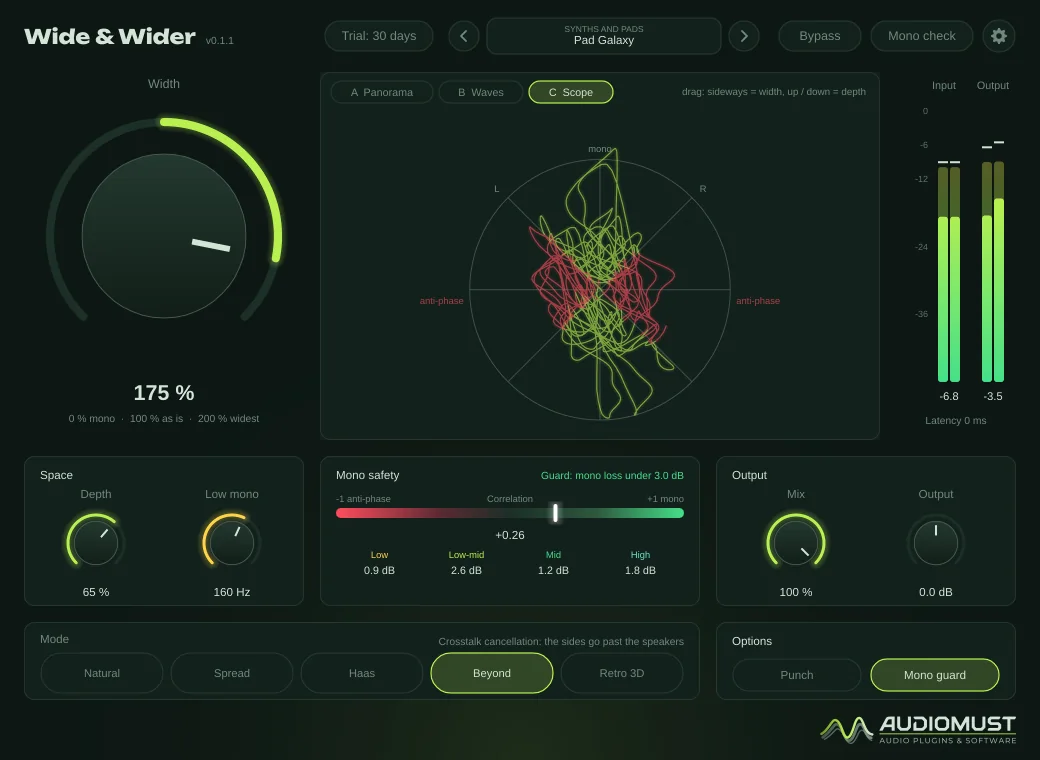
| Beyond | On speakers, with you in the middle, sounds can appear outside the speakers — while the mono sum stays exact. |
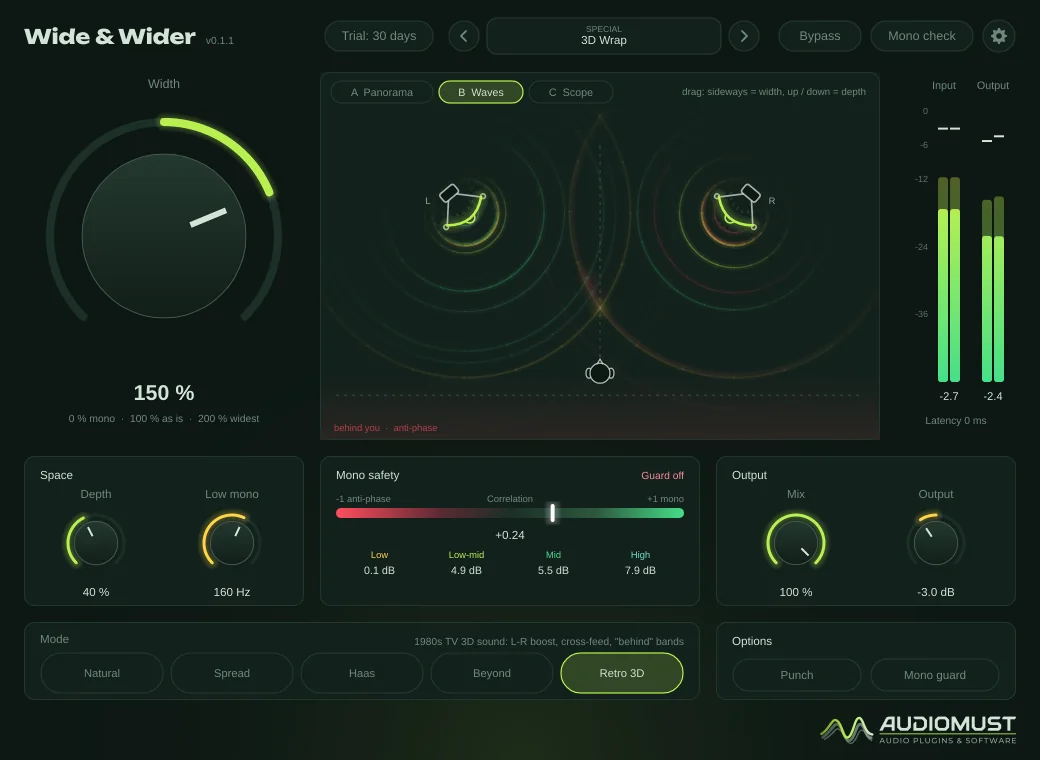
| Retro 3D | The late-1980s TV “3D sound”: very wide and wrapping. This mode changes the Mid, so it is not mono-safe, by design. |
The display
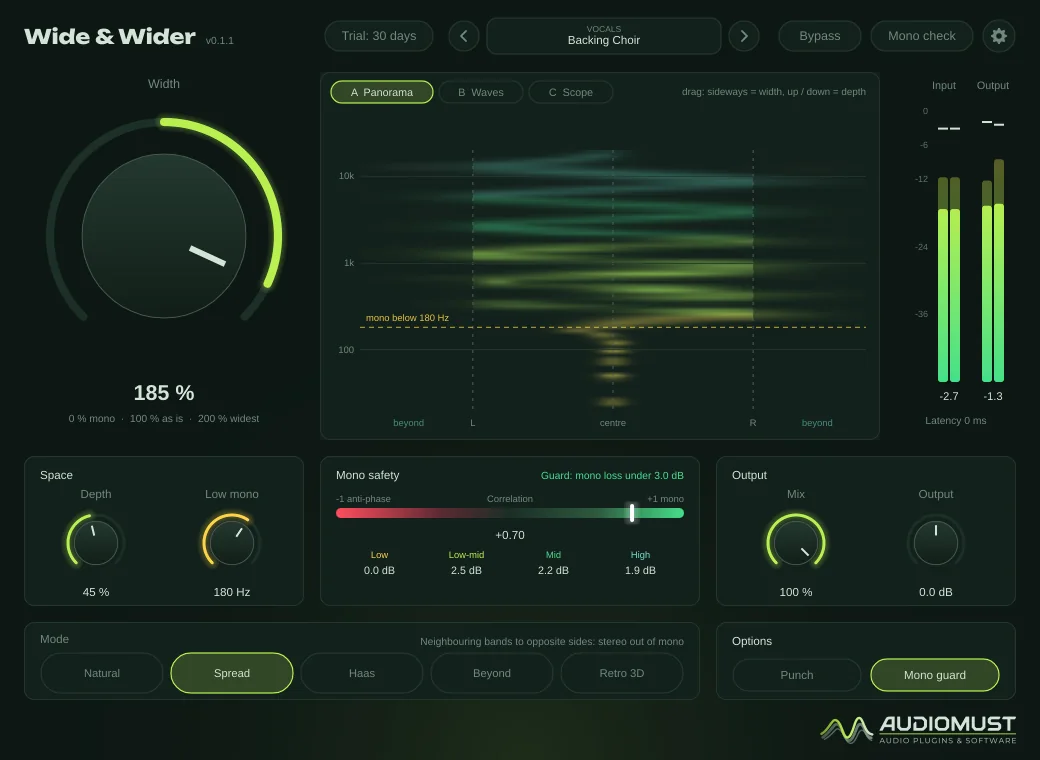
- A Panorama — frequency upwards, stereo position across: where every frequency sits and how wide it is, with anti-phase in red beyond the speakers.
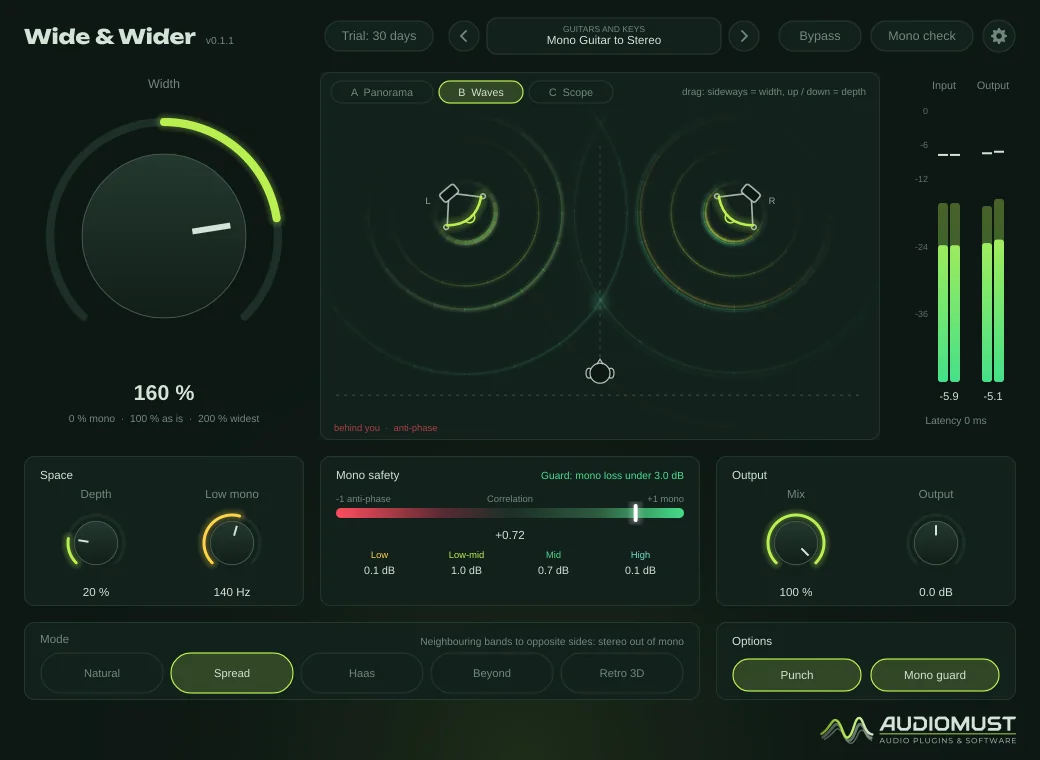
- B Waves — seen from above: the two speakers and you. Every musical event leaves both speakers as a wave, and the glowing point where they cross is where you hear it.
- C Scope — a goniometer: vertical is mono, horizontal is anti-phase.
The mono safety panel shows the correlation meter, the mono loss per band and what the guard is doing.
Presets
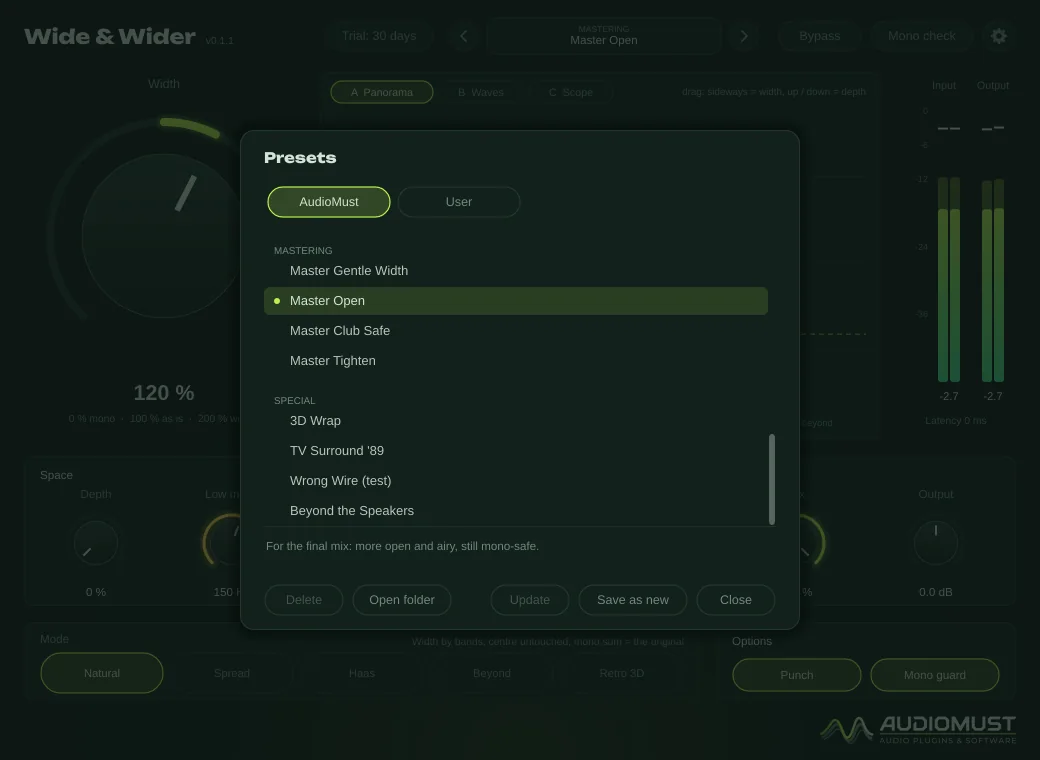
25 factory presets in the AudioMust tab:
- Vocals — Lead Vocal Air, Doubles Wide, Backing Choir, Haas Mono-Safe.
- Drums — Overheads Open, Room Mics Huge, Drum Bus Punch Wide.
- Guitars and keys — Mono Guitar to Stereo, Piano Wide Stage, Power Chord Wall.
- Synths and pads — Pad Galaxy, Supersaw Stretch, Arp Orbit.
- Buses and groups — Bus Open, Bus Wide, Narrow and Focus.
- Mastering — Master Gentle Width, Master Open, Master Club Safe, Master Tighten.
- Special — 3D Wrap, TV Surround ’89, Wrong Wire (test), Beyond the Speakers.
Your own presets are .wwpreset files in ~/Library/Audio/Presets/AudioMust/Wide and Wider/.
Settings
- General — interface size and the Mono guard limit (1.5, 3, 4.5 or 6 dB).
- Meters — as in the other AudioMust plug-ins.
- Display — visualisation, frame rate, detail, colours by frequency band, readouts under the mouse.
- Licence — trial status, Machine ID and activation.
Measured
Measured through the plug-in’s sound engine on our test machine.
- Mono sum against the original, in Natural, Spread, Haas and Beyond at any width: identical, within rounding (below −149 dB).
- At 100 % width with Low mono off: the output is the input, bit for bit.
- Every mode stays under the Mono guard’s 3 dB limit.
- CPU: about 1.5–2.3 % of one core at 44.1/48 kHz.
Specifications
- Formats
- AU · VST3 · Standalone app
- System
- macOS 11 or later, Apple Silicon and Intel
- Modes
- Natural, Spread, Haas, Beyond, Retro 3D
- Mono
- Mono sum unchanged in every mode except Retro 3D
- Latency
- None
- Presets
- 25 factory presets, plus your own
Requirements
macOS 11 or later, on Apple Silicon or Intel. A DAW that loads AU or VST3 plug-ins — tested in Ableton Live — or the standalone app. Works on mono tracks (a mono input comes out stereo), stereo tracks, groups and the master.
Screenshots
FAQ
Will my mix fall apart in mono?
Not in Natural, Spread, Haas or Beyond: they never change the Mid, so the mono sum stays exactly the original. Only Retro 3D and the Wrong Wire test preset change it, and the plug-in says so.
Does Beyond work on headphones?
Beyond needs speakers and a central listening position to place sounds outside the speakers. On headphones it simply sounds wide.
What happens when the trial ends?
After 30 days the audio drops out for 1.5 seconds every 45 seconds until you activate a licence. Everything else keeps working, including your sessions and presets.
Can I use it on more than one Mac?
Each licence key activates one computer. For a second Mac you need a second licence (set the quantity to 2 when you buy). If you replace your Mac, write to us and we move the licence to the new one.
How do I activate it?
Buy it and your licence key arrives by email straight away. In the plug-in, click the gear icon, then Licence, paste the key and press Activate. The computer must be online for the activation.
Does it need the internet?
Only now and then. Activation is online. For the first 120 days after purchase the plug-in checks its licence from time to time, in the background. After that the licence is permanent and works offline for good. If it has been offline for a long time in those first days, it asks you to connect once. The free trial works without the internet.