
TAME & TENDER
A resonance suppressor and de-esser. Tame & Tender finds the frequencies that poke out — the resonance of a mic, a cabinet, a room, a drum or an instrument body, harsh zones, sibilance — and calms them only while they sound, without dulling the rest.
Full version during the trial. No account, no card. Final price. Nothing is added at checkout.
Features
- Two modes: Tame for resonances and harsh zones, De-ess for sibilance (split-band or wideband)
- Finds resonances over time, so the notes and vowels of the music are left alone
- Reduces only while the problem sounds; when nothing is playing there, nothing is taken away
- Minimum phase with zero latency, or linear phase with no phase change at all
- Stereo linked, L / R or Mid / Side; external sidechain
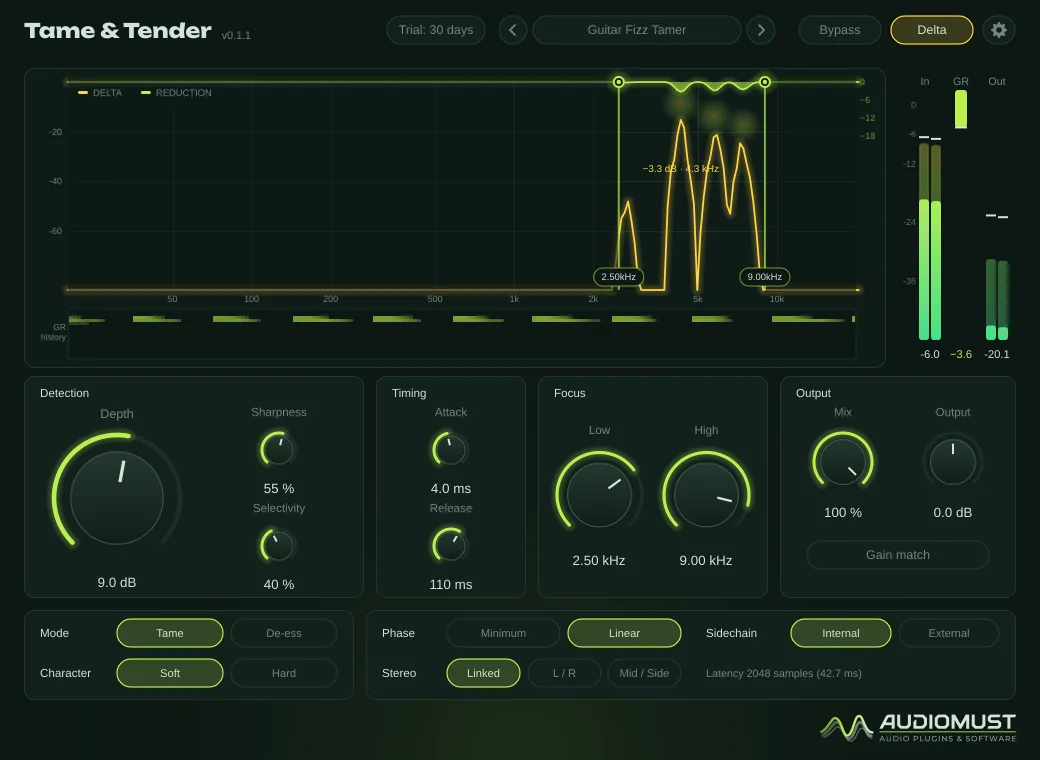
- Delta: hear only what is taken away
- Gain match, so Bypass compares fairly
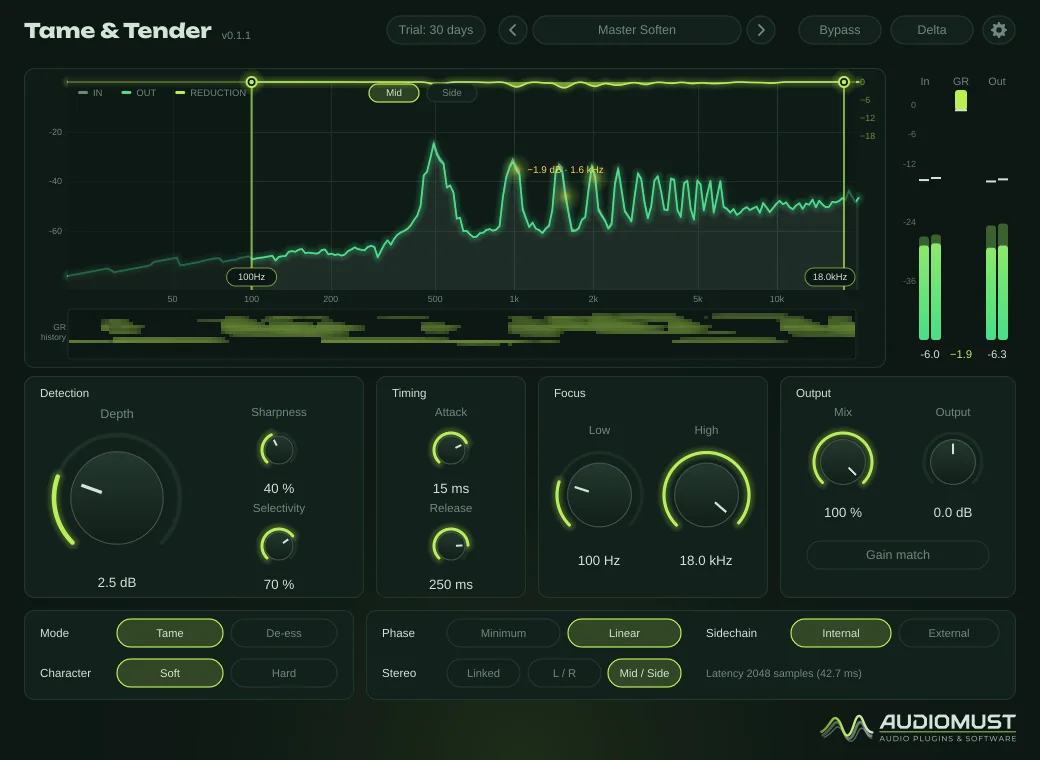
- Spectrum with the reduction drawn as a curtain, and a reduction history
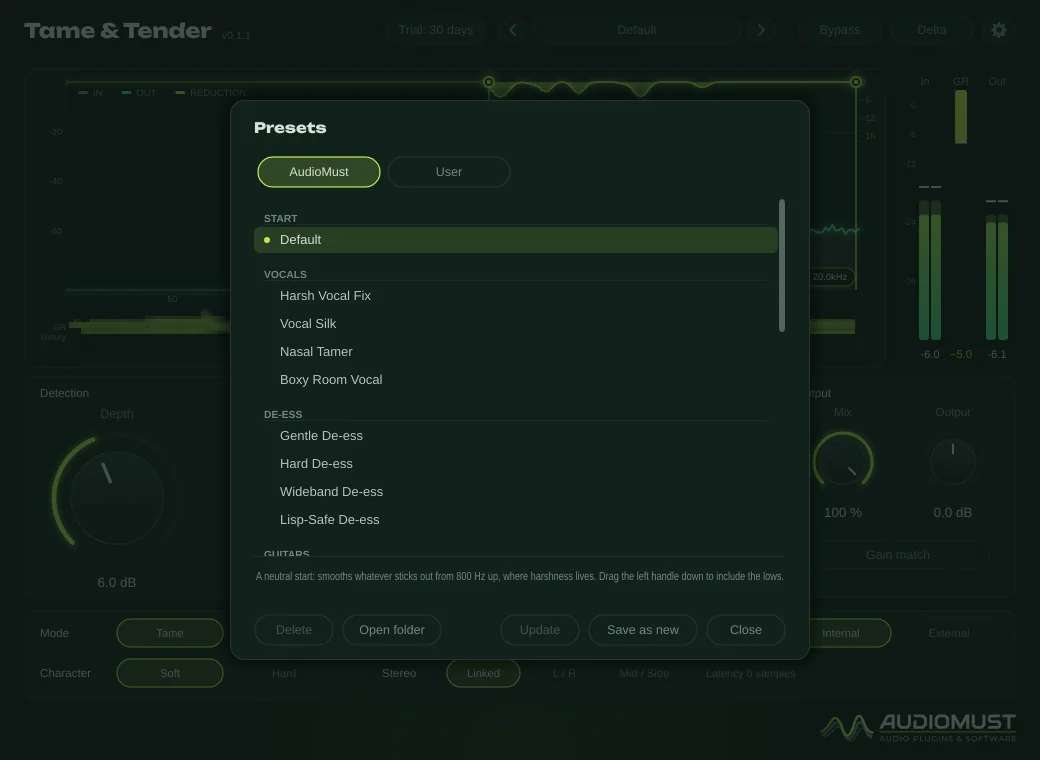
- 25 factory presets, plus your own
How it works
A resonance stays at the same frequency and colours everything that passes through it, while the music moves. Tame & Tender keeps a running picture of the spectrum over the last few seconds: in it, moving notes and vowels blur into a smooth curve and fixed resonances stand out. Each peak on that map is reduced only while that band is excited at that moment, smoothed by Attack and Release.
Two safety rules keep the body of the sound intact: a peak must stick out at two widths, so a broad hump such as the range a melody moves in is left alone, and it needs content on both sides, so the lowest notes of a voice are never treated as peaks.
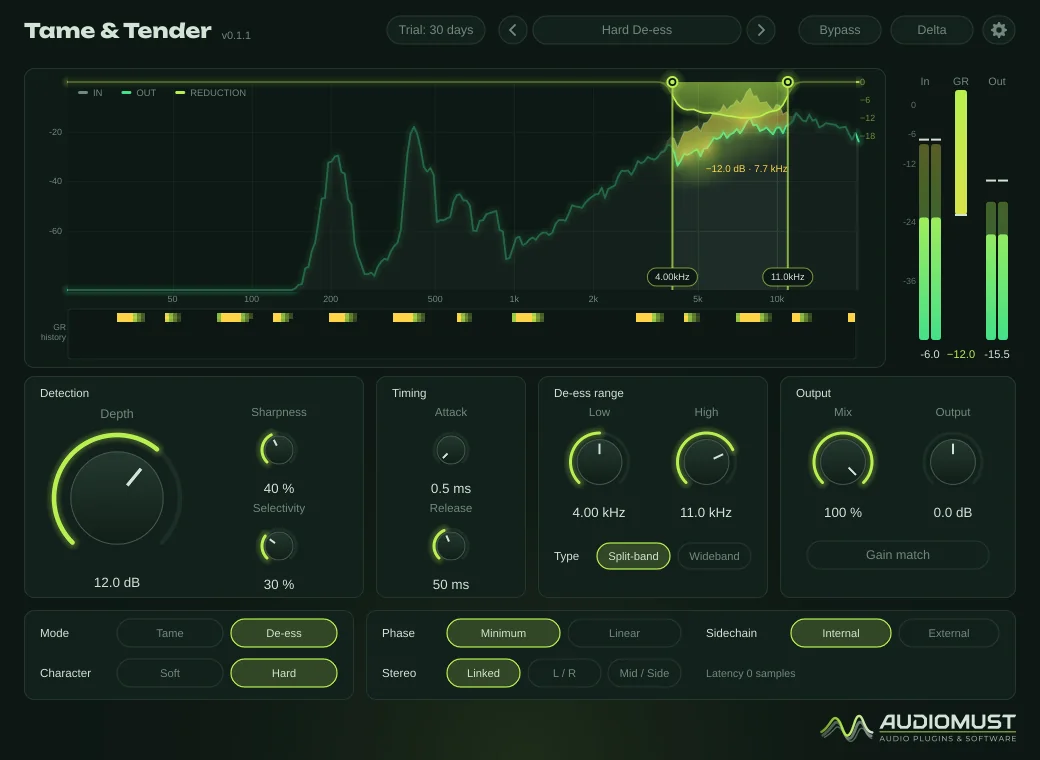
De-ess works on the moment instead: when the sibilance range rises above the body of the voice, it is turned down. Split-band lowers only the sibilance range; Wideband dips the whole signal on each S, like a classic de-esser.
Controls
| Depth | 0–24 dB. The most it will take away anywhere. Below that it follows how much each peak sticks out: it never cuts more than the peak rises, so it leaves no holes. |
|---|---|
| Sharpness | 0 % also catches broad harsh zones; 100 % only narrow peaks. |
| Selectivity | 0 % treats everything that rises above the valleys; 100 % only what towers over the average. |
| Focus Low / High | 20 Hz–20 kHz. Where it works; also the two handles on the display. In De-ess mode they set the sibilance range. |
| Attack / Release | 0.5–50 ms and 10–500 ms. How fast it reacts and lets go. |
| Mode | Tame or De-ess. |
| Character | Soft: a rounded knee that flattens out gently near Depth. Hard: takes all of the excess, with a firmer limit. |
| Phase | Minimum: zero latency, for recording and live. Linear: no phase change, for mixing and mastering (about 43–46 ms of latency, reported to the DAW). |
| Stereo | Linked, L / R or Mid / Side. Separate channels can be shown one at a time on the display. |
| Sidechain | External: the detection listens to another track, the reduction is applied to this one — for example, calm a guitar only where and while the vocal sings. |
| Mix · Output | Dry/wet and ±12 dB. |
| Gain match | Keeps the loudness the same after the reduction, slowly on purpose, so Bypass compares fairly. |
| Delta · Bypass | Delta lets you hear only what is taken away. Bypass is clean and keeps the latency, so nothing jumps. |
Double-click any knob to reset it.
The display
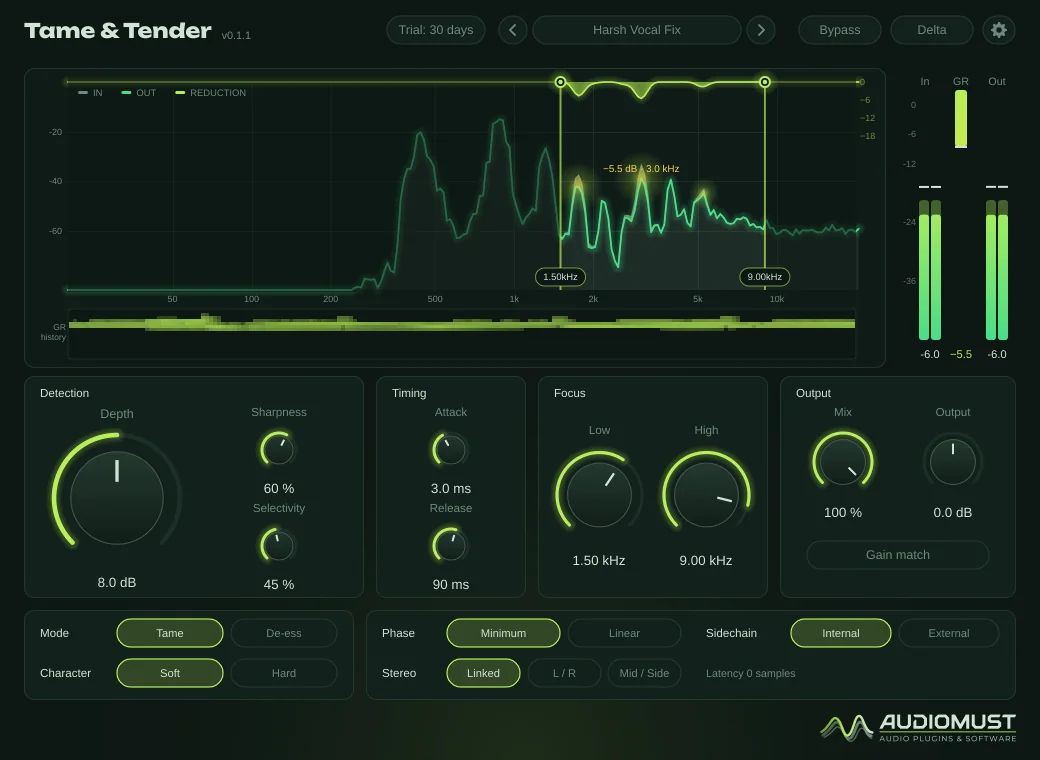
- Input spectrum in grey and output in green; the part taken away is lit yellow, and the reduction hangs from the top as a curtain.
- The strongest point is labelled, for example “−5.5 dB · 3.0 kHz”.
- Outside the Focus band the display is dimmed.
- Below the spectrum, the reduction history: about 10 seconds, frequency upwards, brighter means more reduction.
- In, GR and Out meters, as in the other AudioMust plug-ins.
Presets
25 factory presets in the AudioMust tab, each with a short description:
- Start — Default.
- Vocals — Harsh Vocal Fix, Vocal Silk, Nasal Tamer, Boxy Room Vocal.
- De-ess — Gentle De-ess, Hard De-ess, Wideband De-ess, Lisp-Safe De-ess.
- Guitars — Guitar Fizz Tamer, Acoustic Ring Smoother, Guitar Under Vocal (SC).
- Drums — Cymbal Calm, Snare Ring Control, Overhead Smooth.
- Keys — Piano Ring Smoother, Synth Peak Leveler.
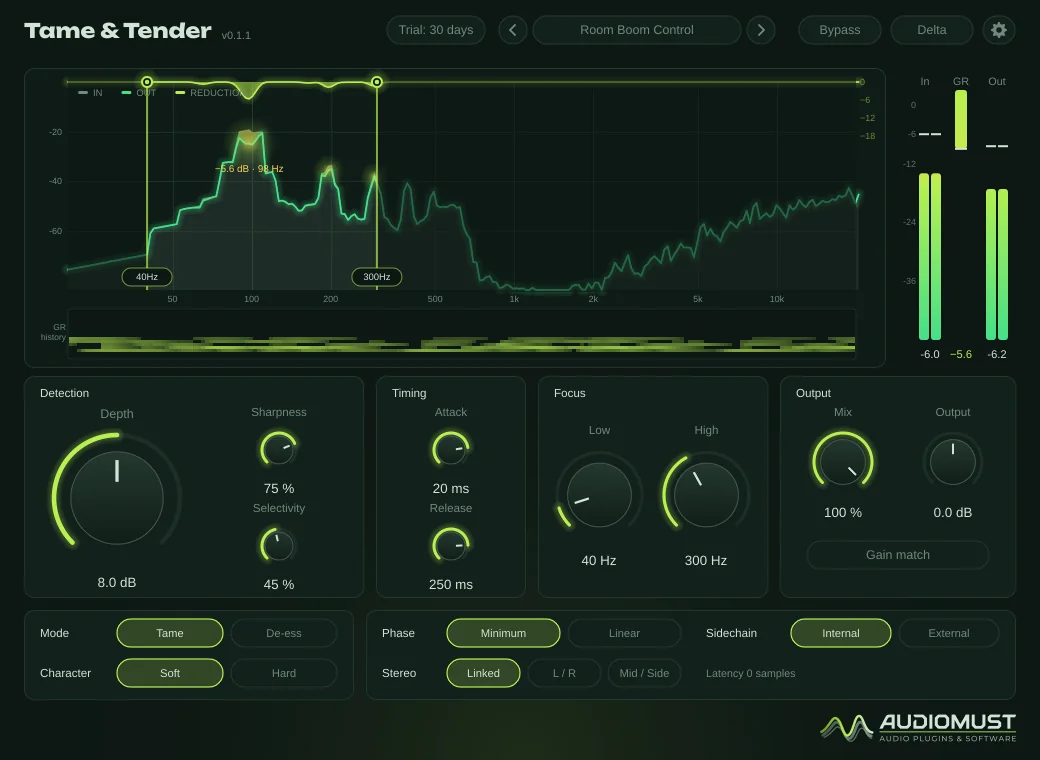
- Mix bus — Mix Bus Polish, Room Boom Control, Harsh Mix Rescue.
- Master — Master Soften, Master Air Tamer.
- Podcast / voice — Podcast Clean, Phone Mic Fix, Voice-over Broadcast.
Your own presets are .ttpreset files in ~/Library/Audio/Presets/AudioMust/Tame and Tender/.
Settings
- General — Delta boost (+12 dB, easier to hear) and interface size (75–150 %).
- Meters — as in the other AudioMust plug-ins.
- Display — frame rate, detail, spectrum, reduction history and frequency labels.
- Licence — trial status, Machine ID and activation.
Measured
Measured through the plug-in’s sound engine on our test machine.
- A voice through a harsh mic: the 3.1 kHz resonance went from 7.5 dB above its surroundings to 3.4 dB (linear phase), while the rest changed by −0.2 dB on average.
- De-ess on speech: the sibilants down by 4 dB (Gentle) to 10 dB (Hard); the same band during vowels −0.1 dB.
- Pink noise through every preset: no change (0.00 dB).
- No “watery” artefacts: steady noise stays steady while a steady resonance is reduced.
- Every control jumped between its extremes four times a second: no clicks.
Specifications
- Formats
- AU · VST3 · Standalone app
- System
- macOS 11 or later, Apple Silicon and Intel
- Modes
- Tame, De-ess (split-band or wideband)
- Stereo
- Linked, L / R, Mid / Side; external sidechain
- Latency
- None (minimum phase); about 43–46 ms in linear phase, reported to the DAW
- Presets
- 25 factory presets, plus your own
Requirements
macOS 11 or later, on Apple Silicon or Intel. A DAW that loads AU or VST3 plug-ins — tested in Ableton Live — or the standalone app. Works on mono and stereo tracks.
Screenshots
FAQ
Is it just a dynamic EQ?
It works like one with dozens of bands that place themselves: it finds the resonances on its own, over time, and reduces each one only while it sounds. You set how much, where and how picky it is.
Minimum or linear phase?
Minimum phase has zero latency, for recording and live use, and is better in the lows. Linear phase changes no phase at all and is a little more precise, for mixing and mastering.
What happens when the trial ends?
After 30 days the audio drops out for 1.5 seconds every 45 seconds until you activate a licence. Everything else keeps working, including your sessions and presets.
Can I use it on more than one Mac?
Each licence key activates one computer. For a second Mac you need a second licence (set the quantity to 2 when you buy). If you replace your Mac, write to us and we move the licence to the new one.
How do I activate it?
Buy it and your licence key arrives by email straight away. In the plug-in, click the gear icon, then Licence, paste the key and press Activate. The computer must be online for the activation.
Does it need the internet?
Only now and then. Activation is online. For the first 120 days after purchase the plug-in checks its licence from time to time, in the background. After that the licence is permanent and works offline for good. If it has been offline for a long time in those first days, it asks you to connect once. The free trial works without the internet.