
SHIMMER & SHINE
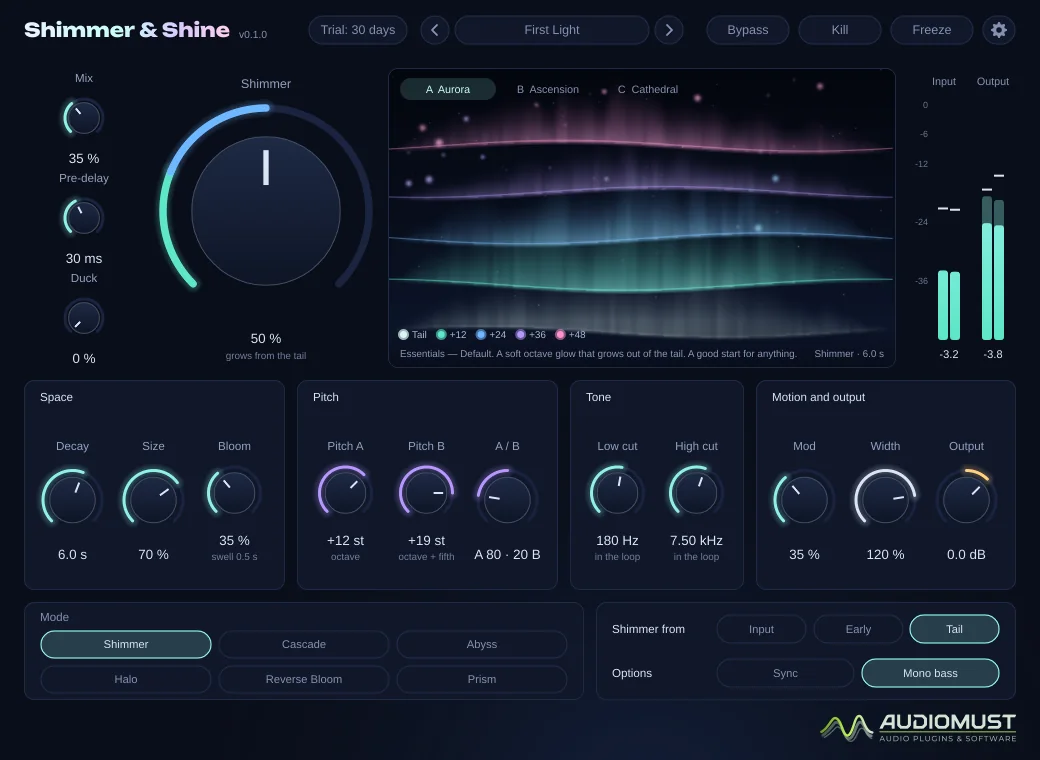
A shimmer reverb: an ethereal, endless space whose tail climbs in pitch, octave after octave, out of the reverb itself. Six modes, from a classic shimmer to an ever-rising cascade and a dark abyss, with a display that shows each generation of the shimmer as it grows.
Full version during the trial. No account, no card. Final price. Nothing is added at checkout.
Features
- The shimmer grows out of the reverb tail, not out of the dry sound
- Six modes: Shimmer, Cascade, Abyss, Halo, Reverse Bloom, Prism
- Two pitch voices, from −12 to +24 semitones each
- Decay from 0.2 s to 60 s, or Infinite
- Low and High cut inside the shimmer loop, so octaves never get shrill or muddy
- Bloom, Mod, Width, Duck and Pre-delay with tempo sync
- Bypass, Kill and Freeze
- Three live displays: Aurora, Ascension and Cathedral
- 41 factory presets, plus your own
- Zero latency
How it works
The sound goes into a large, smooth reverb. Part of the reverb’s tail is taken out, pitch-shifted by two voices, filtered and fed back into the reverb. On the next pass that sound is shifted again, so every repetition climbs one more interval: +12, +24, +36… That is the shimmer. Because it is fed from the tail, it grows out of the space instead of jumping out of the dry sound.
The pitch shifting is built for a feedback loop: its grains line up with the waveform, so piano chords, pads and frozen sounds stay clean instead of beating, and a level guard keeps even Infinite at 100 % from running away.
Controls
| Shimmer | How much of the pitch-shifted sound goes back into the reverb. 25 % is a faint glow, 50 % a clear shimmer, 75 % lush, 100 % a rising wall. |
|---|---|
| Mix · Pre-delay · Duck | Dry/wet balance; time before the reverb starts (with Sync, in note values); Duck lowers the reverb while you play and lets it rise in the gaps. |
| Decay | 0.2 to 60 s; fully clockwise is Infinite, and the tail never dies. |
| Size | The size of the space. Moving it never bends the pitch. |
| Bloom | How slowly the tail swells in, up to about 2 seconds. |
| Pitch A / Pitch B | The interval each voice adds on every pass: −12, 0, +5, +7, +12, +19 or +24 semitones. A / B sets the balance between them. |
| Low cut / High cut | Inside the shimmer loop and on the reverb: each pass loses a little more bass or highs, so downward shimmers do not rumble and octaves do not get shrill. |
| Mod · Width · Output | Gentle movement that removes metallic ringing; 0 % mono to 150 % extra wide; final level. |
| Shimmer from | Tail (the smoothest), Early (the first octave appears sooner) or Input (the classic instant octave). |
| Freeze · Kill · Bypass | Freeze holds the tail as it is, for ever; Kill stops new sound going in while the tail rings; Bypass lets the tail ring out briefly. |
Double-click any knob to reset it.
Modes
| Shimmer | The classic: each pass climbs the interval. |
|---|---|
| Cascade | A spiral that always rises and never gets shrill: the top octaves fade out while a quiet copy comes back in below. With Infinite it climbs for ever. |
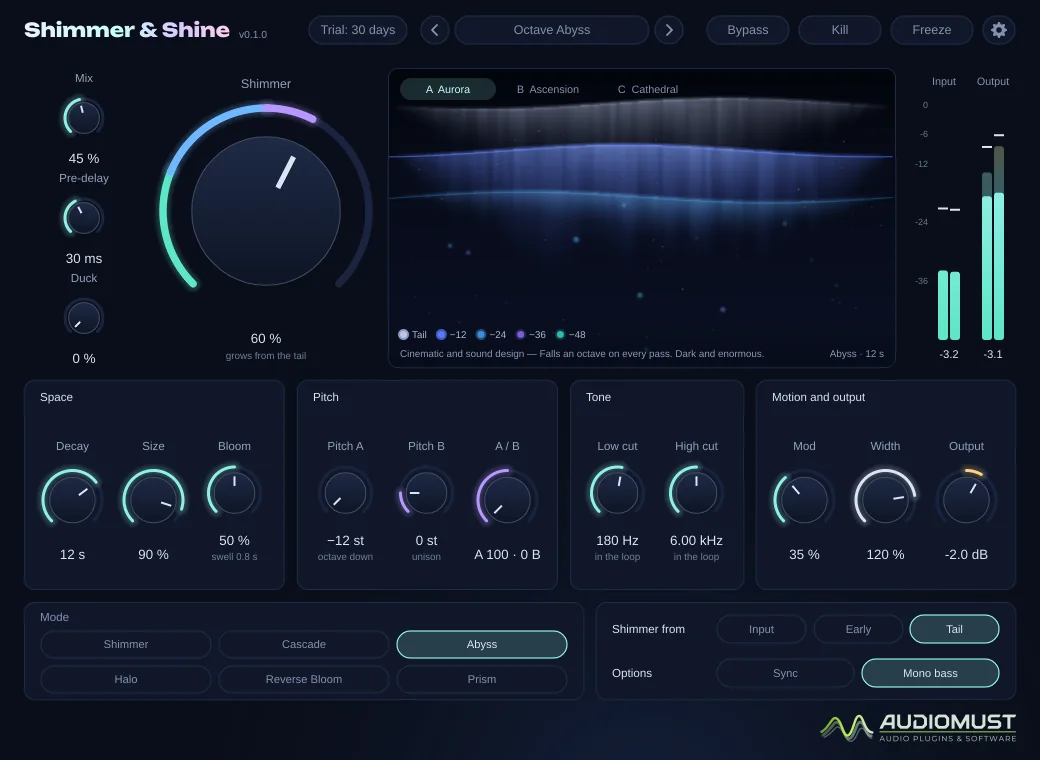
| Abyss | Dark and slow, made for −12: the light on the display comes down. |
| Halo | A subtle shine for mixes, with nothing low in the loop. |
| Reverse Bloom | The tail plays back in reversed segments: every note swells in backwards, then the shimmer climbs. |
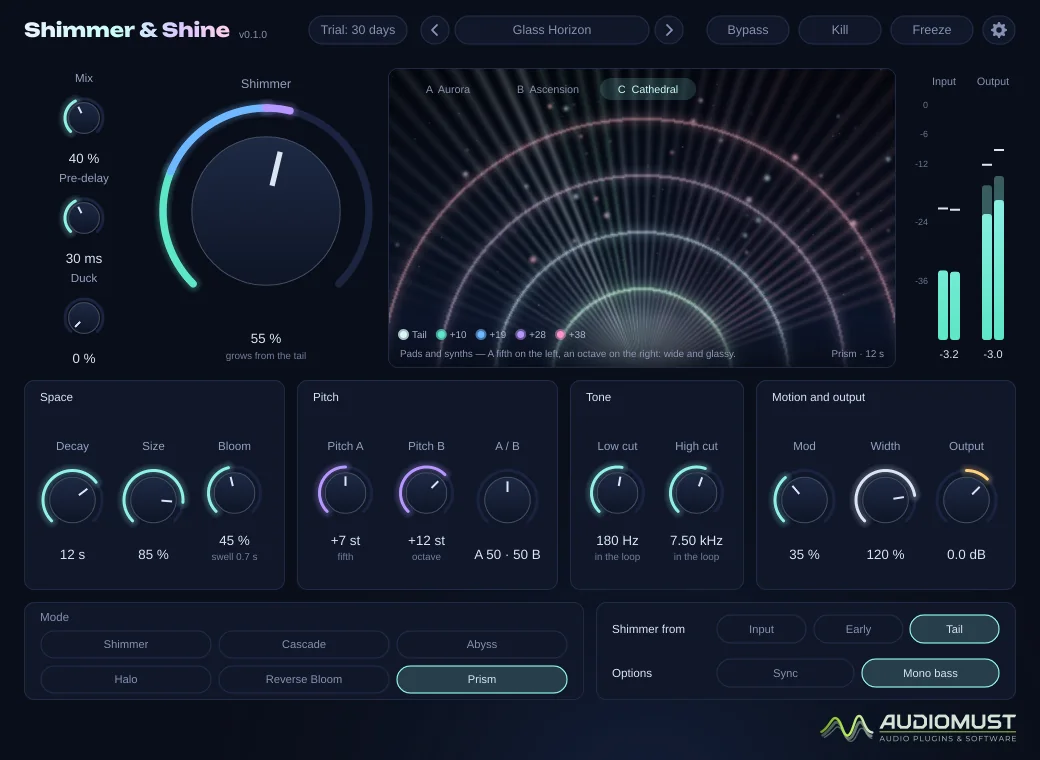
| Prism | Voice A on the left, voice B on the right: wide and glassy. |
Changing mode never restarts the tail: the character changes smoothly.
The display
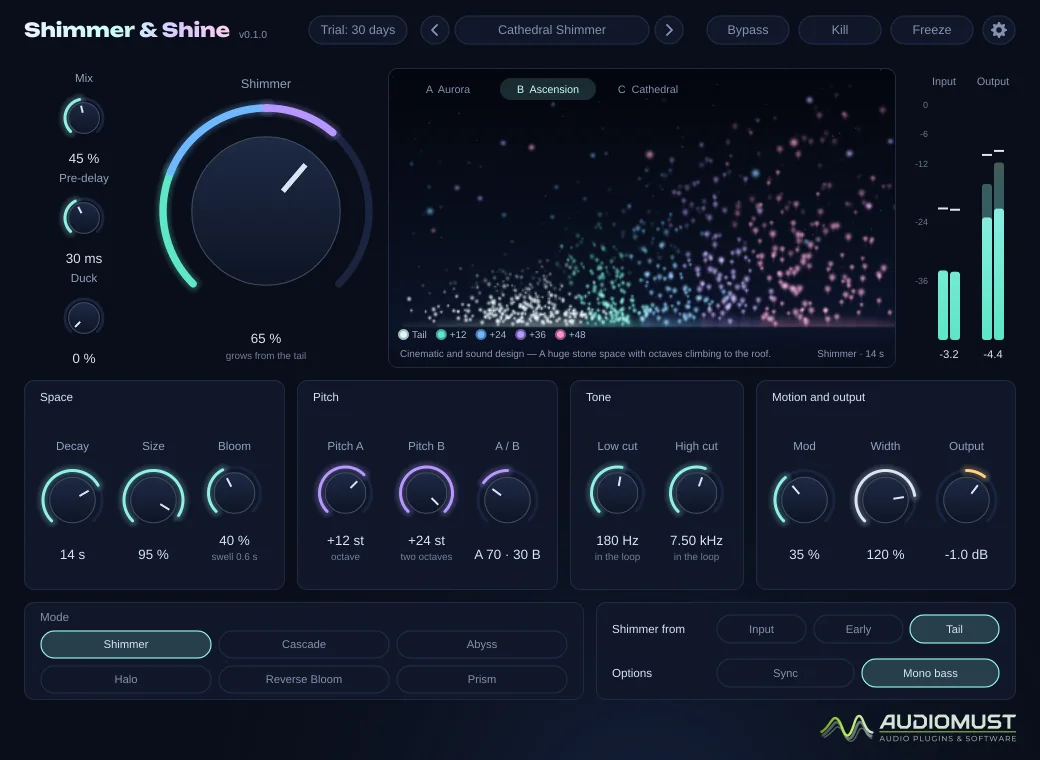
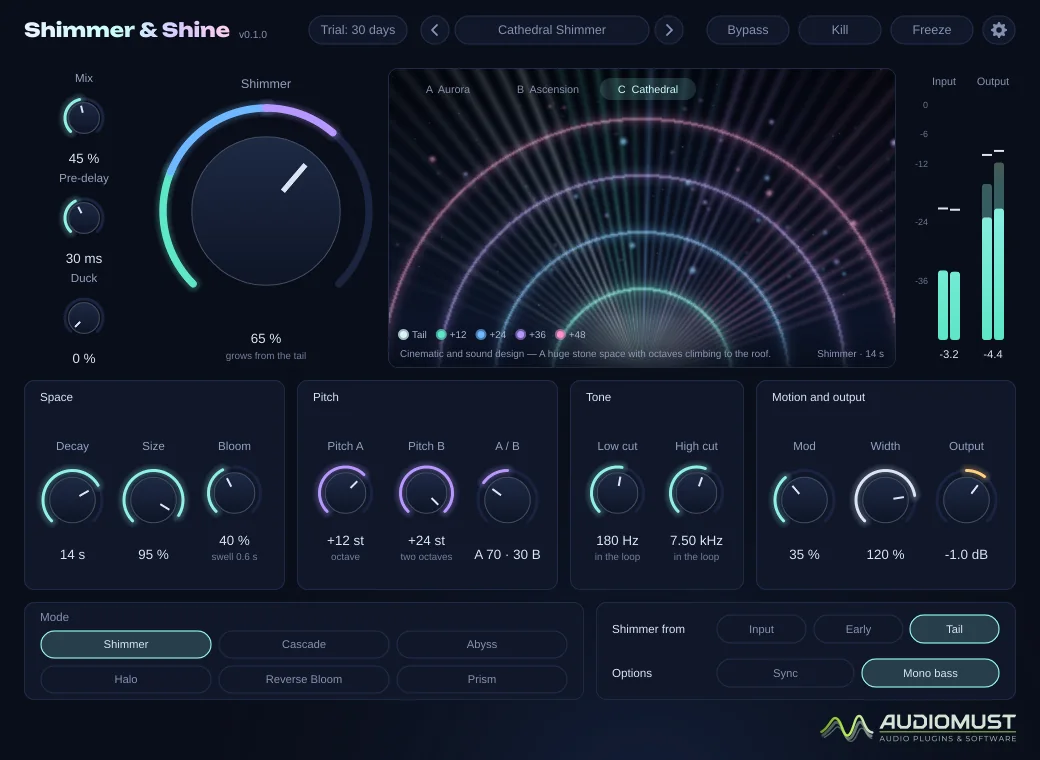
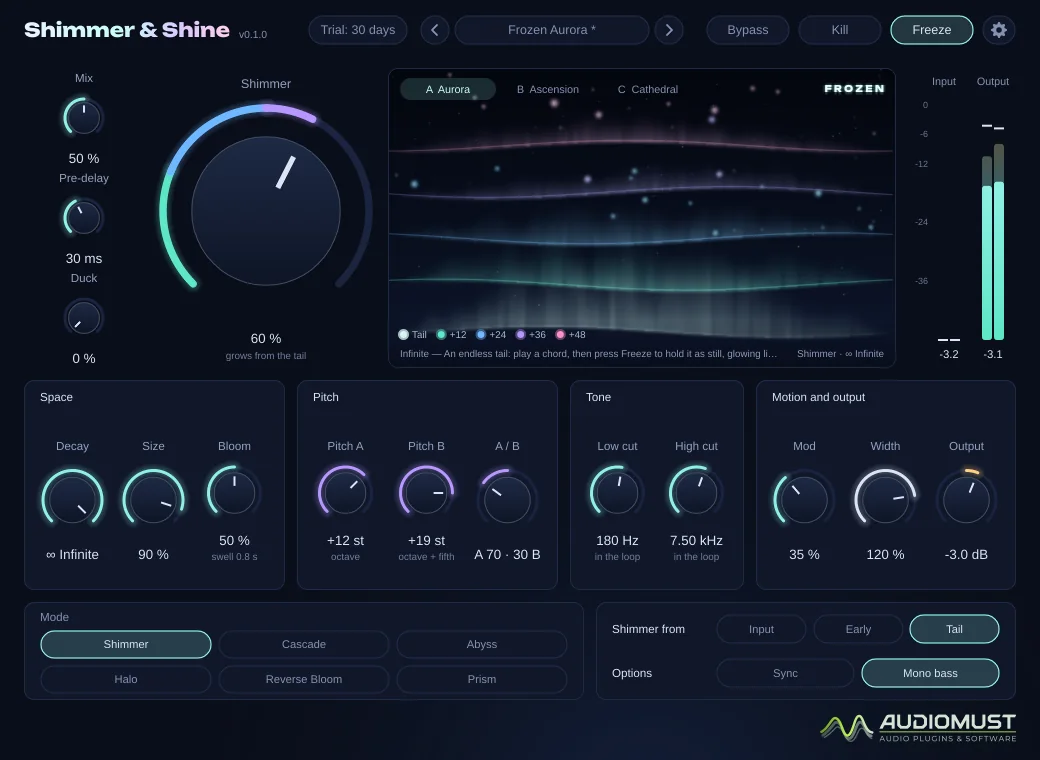
Everything on the display comes from the audio, in real time. Each coloured layer is one generation of the shimmer — the tail, then +12, +24, +36… — so you see the octaves climb.
- A Aurora — curtains of light, one per generation.
- B Ascension — light rising from the spectrum, faster the higher it is.
- C Cathedral — rays from the spectrum and an arch for each generation.
With Freeze the picture stays in place and keeps glowing gently.
Presets
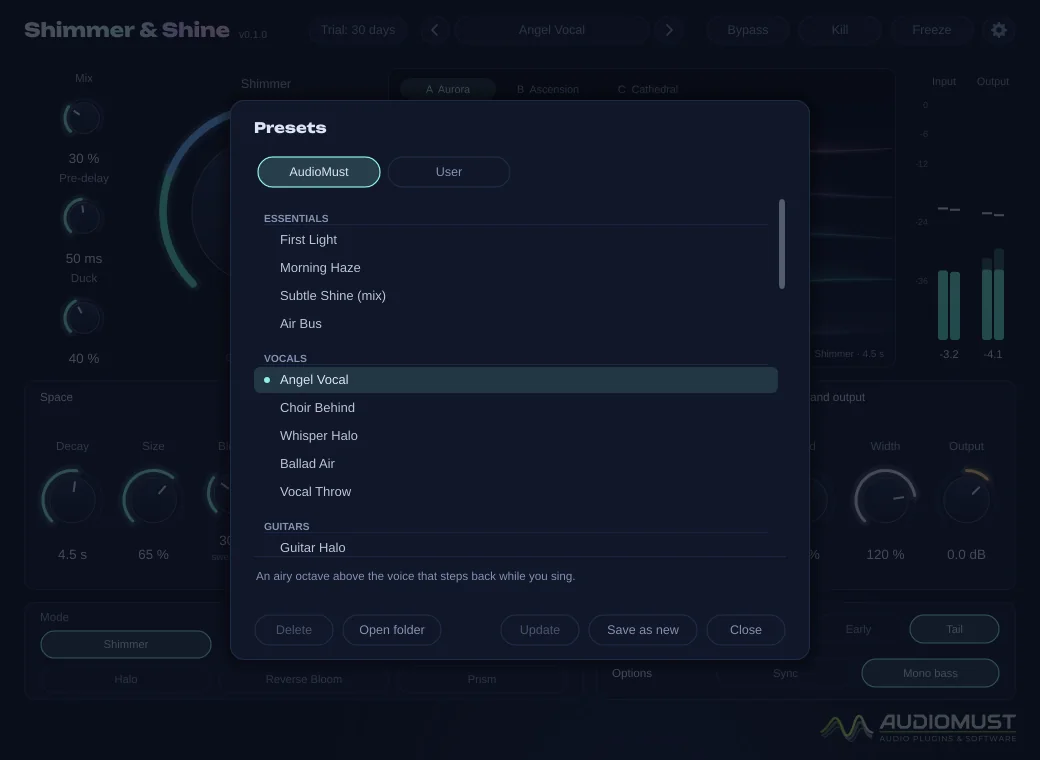
41 factory presets in the AudioMust tab, grouped by instrument, each with a short description:
- Essentials — First Light, Morning Haze, Subtle Shine, Air Bus.
- Vocals — Angel Vocal, Choir Behind, Whisper Halo, Ballad Air, Vocal Throw.
- Guitars — Guitar Halo, Ambient Swells, Fifths Above, Post-Rock Wall, Acoustic Sparkle.
- Piano and keys — Piano in the Clouds, Felt Piano Glow, Rhodes Dream, Organ Heaven.
- Pads and synths — Pad Lift, Synth Heaven, Arp Halo, Glass Horizon.
- Drums and percussion — Snare Halo, Tom Bloom, Ambient Kit, Percussion Dust.
- Strings and orchestral — Strings Ascend, Harp Light.
- Cinematic and sound design — Cathedral Shimmer, Title Sequence, Vast Ascent, Orbit, Octave Abyss, Reverse Heaven, Rising Tension, Subterranean.
- Infinite — Frozen Aurora, Eternal Drone, Infinite Choir, Still Water, Endless Cascade.
Your own presets are .sspreset files in ~/Library/Audio/Presets/AudioMust/Shimmer and Shine/.
Settings
- General — keep the reverb tail when bypassed; interface size (75–150 %).
- Meters — as in the other AudioMust plug-ins.
- Display — visualisation, frame rate, detail, and whether the light keeps glowing when frozen.
- Licence — trial status, Machine ID and activation.
Measured
Measured through the plug-in’s sound engine on our test machine.
- Decay asked vs measured at 1 kHz: 1 → 0.99 s, 3 → 2.97 s, 10 → 10.01 s.
- Infinite at every mode and setting, over two minutes: stays within ±0.7 dB, never runs away. Freeze holds within 0.4 dB.
- Moving Size or Pre-delay while a note rings: about 3 cents of deviation, against 30 cents with the older method.
- Every control jumped between its extremes four times a second: no clicks.
Specifications
- Formats
- AU · VST3 · Standalone app
- System
- macOS 11 or later, Apple Silicon and Intel
- Modes
- Shimmer, Cascade, Abyss, Halo, Reverse Bloom, Prism
- Decay
- 0.2 to 60 s, or Infinite
- Latency
- None
- Presets
- 41 factory presets, plus your own
Requirements
macOS 11 or later, on Apple Silicon or Intel. A DAW that loads AU or VST3 plug-ins — tested in Ableton Live — or the standalone app. Works on mono and stereo tracks (a mono input gives a stereo reverb) and as a return effect.
Screenshots
FAQ
Can it run on a return track?
Yes. Set Mix to 100 %, or start from the Air Bus preset.
Does Infinite ring for ever even when bypassed?
No. By default Bypass lets the tail ring out for about 2.5 seconds, also from Infinite or Freeze, so a bypassed plug-in never rings for ever. Settings → General can turn the tail off.
What happens when the trial ends?
After 30 days the audio drops out for 1.5 seconds every 45 seconds until you activate a licence. Everything else keeps working, including your sessions and presets.
Can I use it on more than one Mac?
Each licence key activates one computer. For a second Mac you need a second licence (set the quantity to 2 when you buy). If you replace your Mac, write to us and we move the licence to the new one.
How do I activate it?
Buy it and your licence key arrives by email straight away. In the plug-in, click the gear icon, then Licence, paste the key and press Activate. The computer must be online for the activation.
Does it need the internet?
Only now and then. Activation is online. For the first 120 days after purchase the plug-in checks its licence from time to time, in the background. After that the licence is permanent and works offline for good. If it has been offline for a long time in those first days, it asks you to connect once. The free trial works without the internet.