
COMPRESSOR & PUNCH
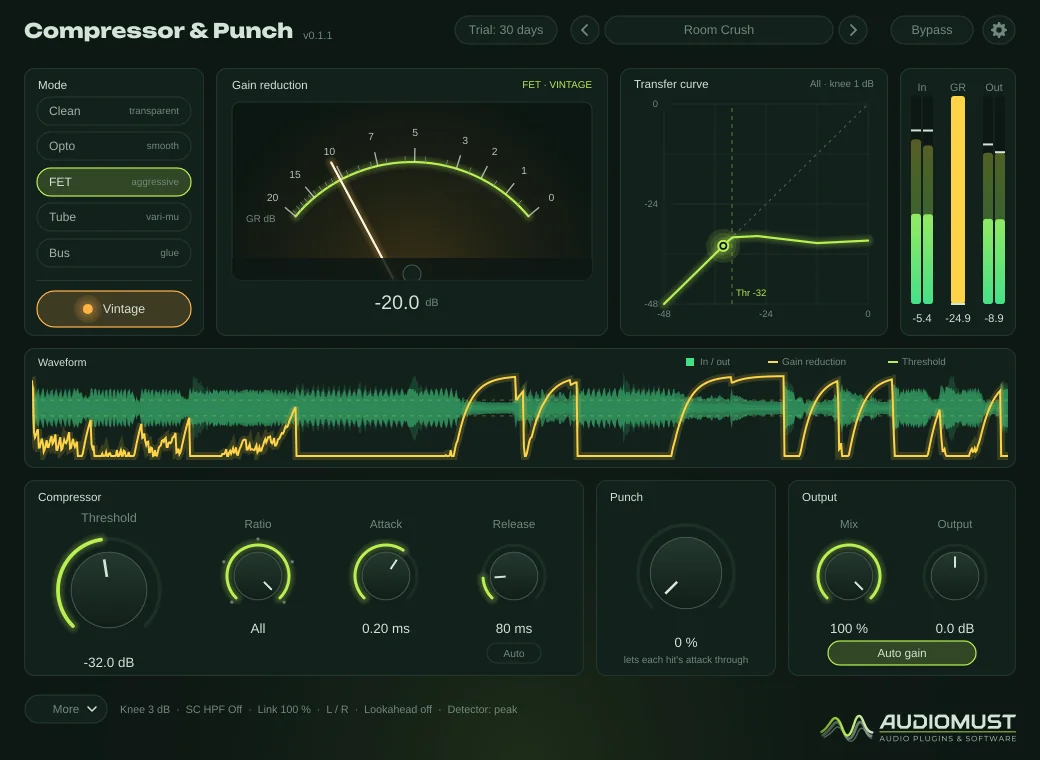
A compressor with five modes — Clean, Opto, FET, Tube and Bus — a Vintage switch that brings in the character of the original hardware of each mode, and Punch: heavy compression that keeps the impact of every hit.
Full version during the trial. No account, no card. Final price. Nothing is added at checkout.
Features
- Five modes: Clean, Opto, FET, Tube, Bus — each with its own detector, curve and timing
- Vintage: the colour of each mode’s hardware, growing with level and compression
- Punch: lets the attack of every hit through while the body stays compressed
- FET “All” mode, the famous all-buttons smash
- Parallel Mix, Auto gain, Auto release
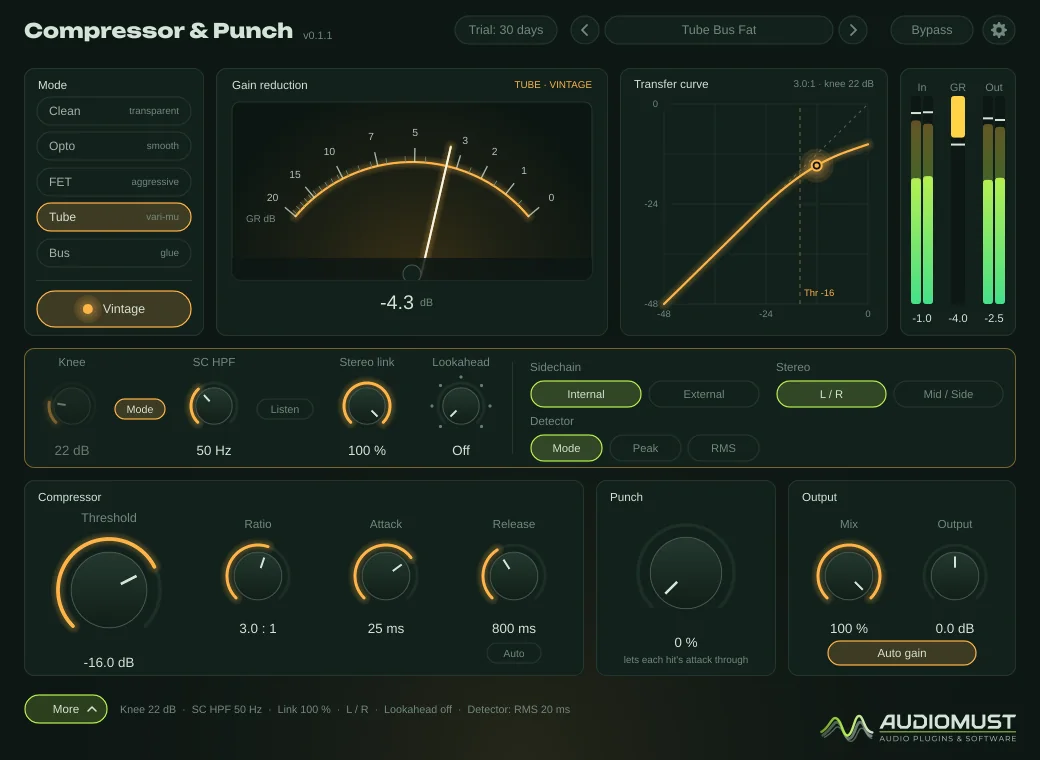
- Knee, sidechain filter with Listen, Lookahead, external sidechain, Mid / Side
- Needle VU, scrolling waveform and live transfer curve
- 32 factory presets plus Default, plus your own
Controls
| Mode | Clean, Opto, FET, Tube or Bus. Changing mode while playing glides to the new gain reduction, without a click. |
|---|---|
| Vintage | The hardware character of the current mode. Off is the clean version of the same mode. |
| Threshold · Ratio | −60 to 0 dB. The ratio is continuous in Clean, Opto and Tube, and stepped in FET (4, 8, 12, 20, All) and Bus (1.5, 2, 4, 10). |
| Attack / Release | Each mode has its own range. Auto release follows the music: quick after short peaks, slower after long passages. |
| Punch | 0–100 %. Lets the attack of each note or hit through before the compressor acts. |
| Mix | Parallel (“New York”) compression, with dry and wet exactly in time. |
| Output · Auto gain | Final level; Auto gain keeps the loudness the same with and without compression, so you judge the sound and not the level. |
| Knee | 0–30 dB, or the mode’s own knee. |
|---|---|
| SC HPF · Listen | Filters the lows out of the detector only, so the bass does not drive the compressor; Listen lets you hear what the detector hears. |
| Stereo link · Stereo | From each channel on its own to the same gain on both; L / R or Mid / Side. |
| Lookahead | Off to 10 ms: the detector sees the hit before it arrives (adds that latency, reported to the DAW). |
| Sidechain · Detector | Internal or External; the mode’s own detector, Peak or RMS. |
The modes
| Clean | Modern and transparent. Ratio 1:1 to 20:1 and ∞, attack 0.05–200 ms. |
|---|---|
| Opto | Optical and smooth, for voice and bass: a wide knee that gets firmer as the level rises, and a two-stage release. |
| FET | Fast and aggressive, for drums and rock vocals: attack from 20 µs. All over-compresses — the output falls as the input rises — for the explosive pumping of the all-buttons trick. |
| Tube | Vari-mu, thick and slow, for buses and the master: the ratio grows with the level. |
| Bus | Console VCA, the glue, with stepped ratios and times like the hardware. |
Vintage adds, mode by mode, the transformers, tube and class-A amplifiers, FET distortion or VCA colour of the original units, oversampled and growing with the level and the gain reduction. No noise is added.
Punch
Punch detects the start of every note or hit and holds back the compression for a few milliseconds, then hands over smoothly. At 100 % the attack passes untouched; at 50 % half of the compression is held back.
It is not the same as a slow attack: a slow attack lets everything through for that time, including slow swells of bass or voice. Punch only opens on hits, so the body of the sound stays compressed. On a drum and bass loop at 10:1, the hits came out at their original level with Punch at 100 %, instead of 7 dB lower, while the tails stayed held.
With a lot of Punch the peaks come out higher — that is the point. If you need a ceiling, put a limiter after it, such as Loud & Clear.
Presets
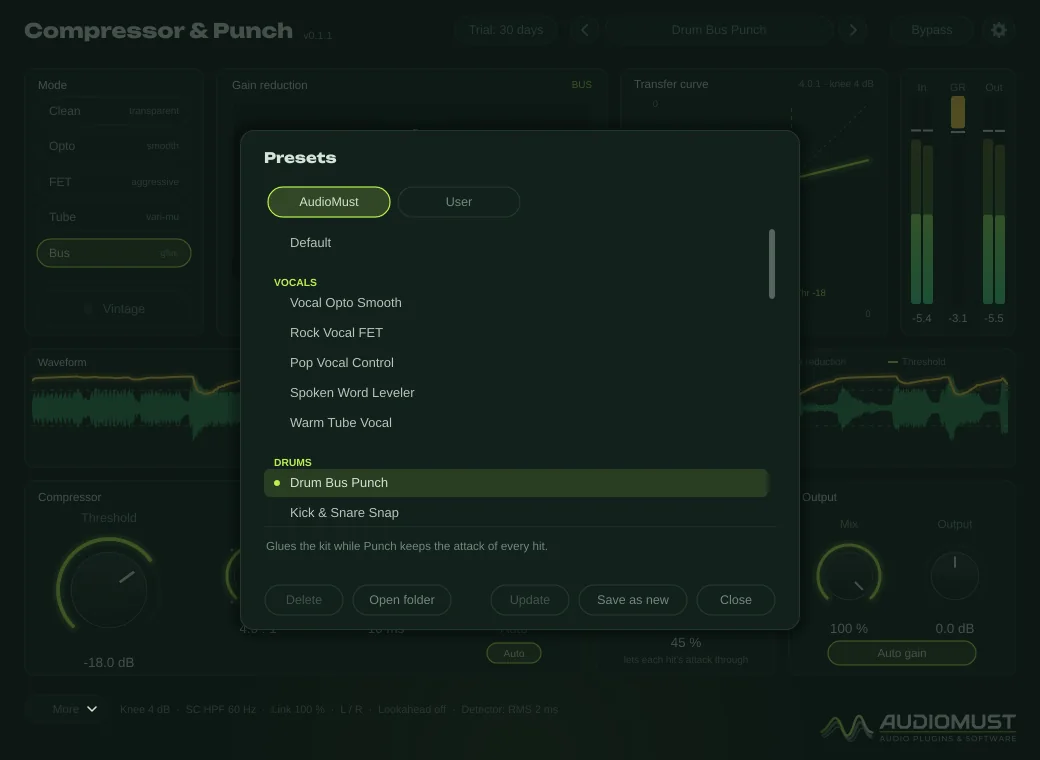
32 factory presets plus Default in the AudioMust tab, each with a short description:
- Vocals — Vocal Opto Smooth, Rock Vocal FET, Pop Vocal Control, Spoken Word Leveler, Warm Tube Vocal.
- Drums — Drum Bus Punch, Kick & Snare Snap, Room Crush, Snare Body, Overheads Tame.
- Bass — Bass Leveler, Bass Grit, Synth Bass Lock.
- Guitars and keys — Acoustic Gentle, Electric Sustain, Piano Even, Keys & Pads Glue.
- Mix bus — Mix Bus Glue, Vintage Bus Glue, Tube Bus Fat, Mid/Side Balance.
- Master — Tube Master Warmth, Clean Master Control, Master Opto Polish.
- Parallel — NY Parallel Drums, Parallel Vocal Thickener, Parallel Bass Weight, Parallel Glue.
- Special — All Buttons Smash, Sidechain Pump, Transient Boost, Lo-Fi Squash.
The thresholds assume a track around −18 dBFS RMS: adjust Threshold for your level. Your own presets are .cppreset files in ~/Library/Audio/Presets/AudioMust/Compressor and Punch/.
Settings
- General — interface size (75–150 %).
- Meters — as in the other AudioMust plug-ins, plus the GR needle: real VU ballistics or Fast.
- Display — frame rate, detail and waveform length (2, 4 or 8 s).
- Licence — trial status, Machine ID and activation.
Measured
Measured through the plug-in’s sound engine on our test machine.
- Static curves within 0.13 dB of the design in every mode, from −60 to 0 dB.
- What the attack and release knobs say is what you get: for example Clean 10 ms / 120 ms measures 10.1 ms / 130 ms.
- Vintage off adds no distortion (0.000 % THD); Vintage on adds about 0.1–1 %, depending on the mode and the compression.
- Auto gain keeps every preset within ±0.2 dB of the input loudness.
- CPU: about 0.3–0.4 % of one core at 48 kHz with Vintage off, 1.5–2.6 % with Vintage on.
Specifications
- Formats
- AU · VST3 · Standalone app
- System
- macOS 11 or later, Apple Silicon and Intel
- Modes
- Clean, Opto, FET, Tube, Bus — each with Vintage
- Sidechain
- Internal or external, with HPF and Listen
- Latency
- 4 samples, plus Lookahead when on (reported to the DAW)
- Presets
- 32 factory presets plus Default, plus your own
Requirements
macOS 11 or later, on Apple Silicon or Intel. A DAW that loads AU or VST3 plug-ins — tested in Ableton Live — or the standalone app. Works on mono and stereo tracks, groups and returns.
Screenshots
FAQ
How do I use an external sidechain in Ableton Live?
In the device title bar open the sidechain section, turn it on and choose the source track in “Audio From”. Then, in the plug-in, open More and set Sidechain to External.
What is the difference between Punch and a slow attack?
A slow attack lets everything through for that time, including slow swells. Punch only opens on detected hits, so the body of the sound stays compressed while the attack keeps its impact.
What happens when the trial ends?
After 30 days the audio drops out for 1.5 seconds every 45 seconds until you activate a licence. Everything else keeps working, including your sessions and presets.
Can I use it on more than one Mac?
Each licence key activates one computer. For a second Mac you need a second licence (set the quantity to 2 when you buy). If you replace your Mac, write to us and we move the licence to the new one.
How do I activate it?
Buy it and your licence key arrives by email straight away. In the plug-in, click the gear icon, then Licence, paste the key and press Activate. The computer must be online for the activation.
Does it need the internet?
Only now and then. Activation is online. For the first 120 days after purchase the plug-in checks its licence from time to time, in the background. After that the licence is permanent and works offline for good. If it has been offline for a long time in those first days, it asks you to connect once. The free trial works without the internet.