
LOUD & CLEAR
A mastering maximizer — soft clipper and true-peak limiter — with loudness metering after ITU-R BS.1770 / EBU R128. It shows what each streaming platform will do to your song, lets you hear it, and can set the gain for a target loudness for you.
Full version during the trial. No account, no card. Final price. Nothing is added at checkout.

Features
- Soft clipper and true-peak limiter: the output never goes above the ceiling
- Five characters: Transparent, Punchy, Warm, Loud, Dynamic
- Bass guard, so kicks and 808s stop ducking the rest of the mix
- Match target: sets the gain so the loudest part measures your target
- Momentary, short-term and integrated loudness, LRA, true peak and PLR
- Platform view: how much Spotify, Apple Music, YouTube and others will turn your song down, with a preview of what listeners will hear
- Delta: hear only what is removed
- Dither (16 or 24 bit) and oversampling up to 8x
- 23 factory presets, plus your own
Controls
| Gain | −24 to +24 dB. How hard the music is pushed into the limiter; negative values turn it down, for quiet targets such as −23 LUFS. |
|---|---|
| Ceiling | −6 to 0 dBTP, −1.0 by default. The output never goes above this true-peak level. |
| Clip | Soft clipper before the limiter, 0 % = off. Use a little: on sustained tones clipping is distortion. |
| Output | Final level under the ceiling. |
| Release · Auto release | With Auto: fast after short hits, slow on sustained parts. Without: a fixed time, 1–1000 ms. |
| Transients | How much of each hit is kept. Higher: the clipper takes the first milliseconds of hits instead of the limiter ducking the whole mix. |
| Stereo link | 100 % keeps the stereo image; lower lets each side be limited on its own. |
| Bass guard | Off, 40–200 Hz. When the lows cause a peak, they take more of the reduction than the rest. Off by default, on in the bass-heavy presets. |
| Dither · Oversampling | Off / 16 / 24 bit, only for the final bounce; 2x, 4x or 8x for the clipper. |
| Match target | Play the loudest part (the chorus), press, wait 8 seconds: the plug-in sets Gain so that part measures the chosen target. |
| Delta · Bypass | Delta plays only what the clipper and limiter remove: if you hear recognisable music, you are pushing too hard. Bypass keeps the same latency. |
Double-click any knob to reset it.
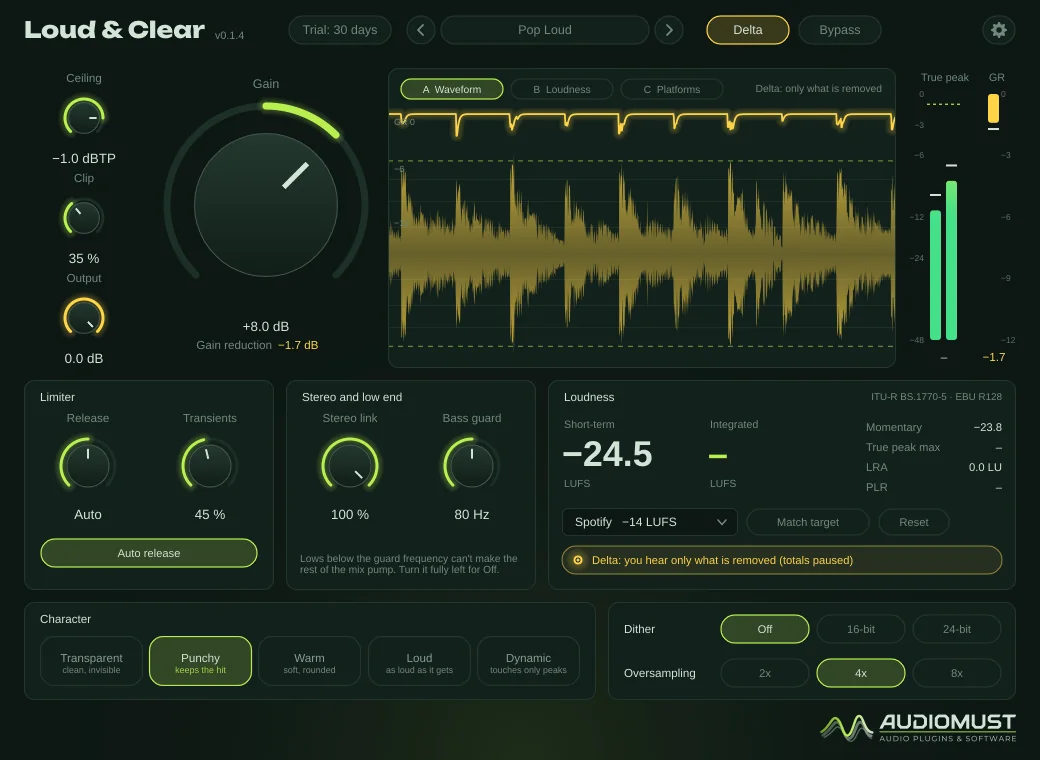
Characters
| Transparent | Meant to go unnoticed. |
|---|---|
| Punchy | Hits keep their attack. |
| Warm | Rounded highs, with added harmonics by design. |
| Loud | As loud as it gets. |
| Dynamic | Only catches peaks. |
Loudness and platforms
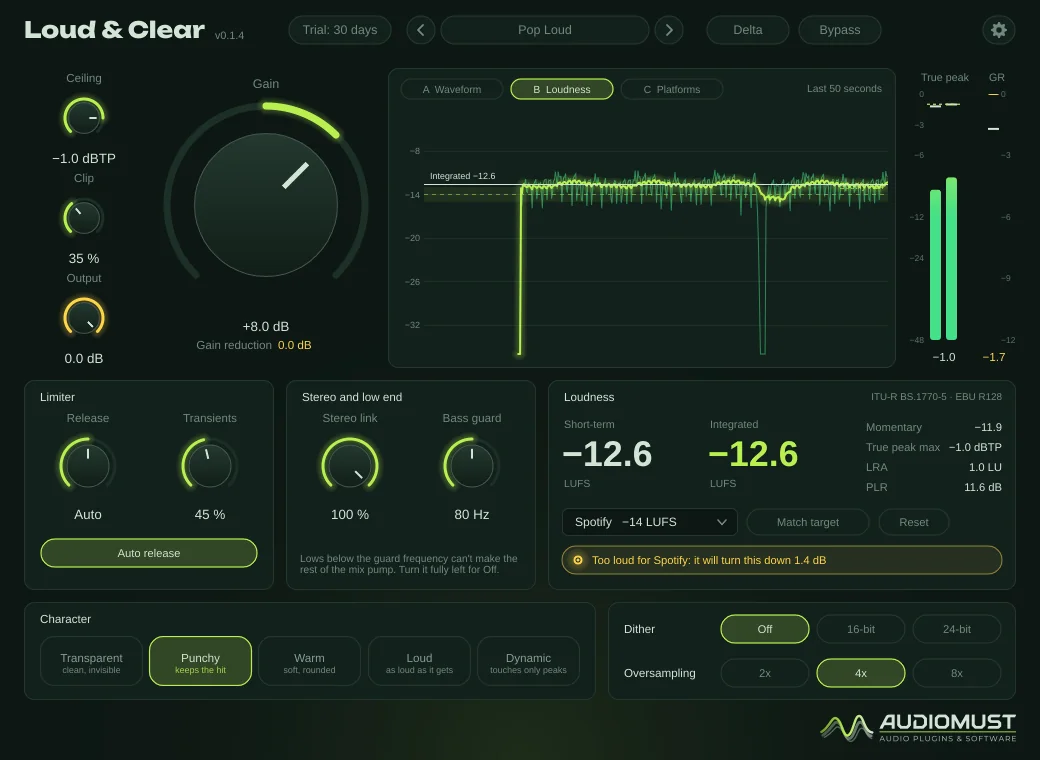
The meters show momentary, short-term and integrated loudness, loudness range (LRA), true peak and PLR, measured on what leaves the plug-in. The status line tells you when you are on target, or how much a platform will turn your song down or up.
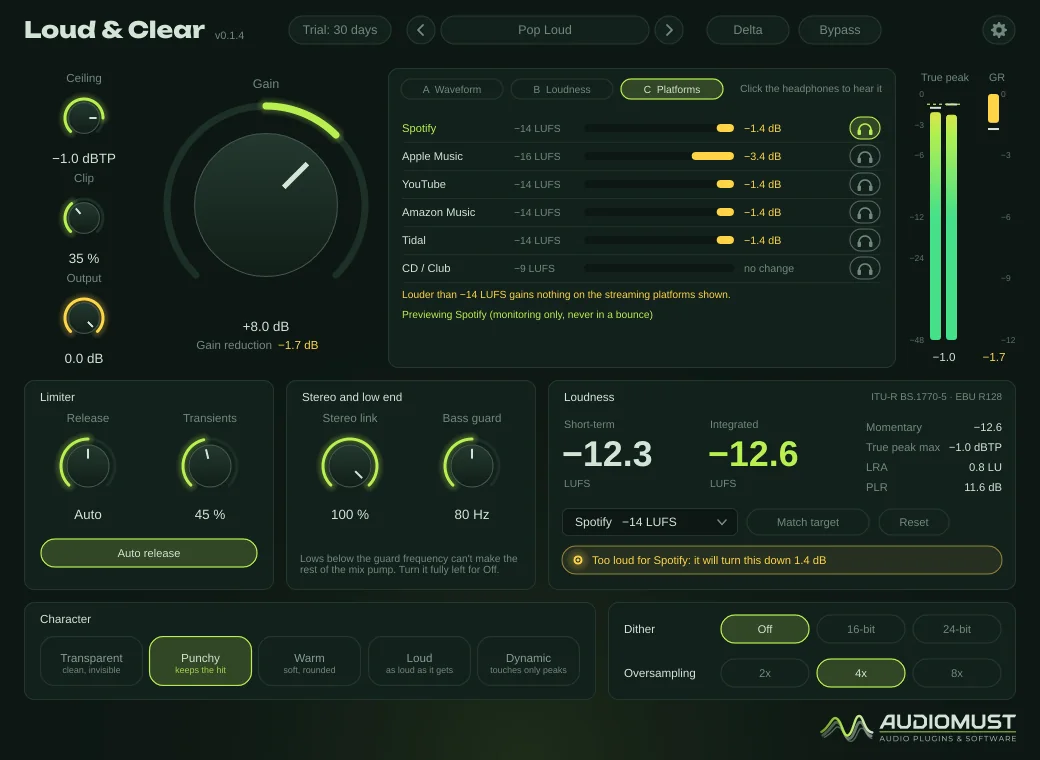
The Platforms view shows, for each platform, how much it will turn this song down, and a headphone button plays the plug-in at that level, so you hear what listeners will hear. The preview is for monitoring only: it switches itself off in an offline bounce.
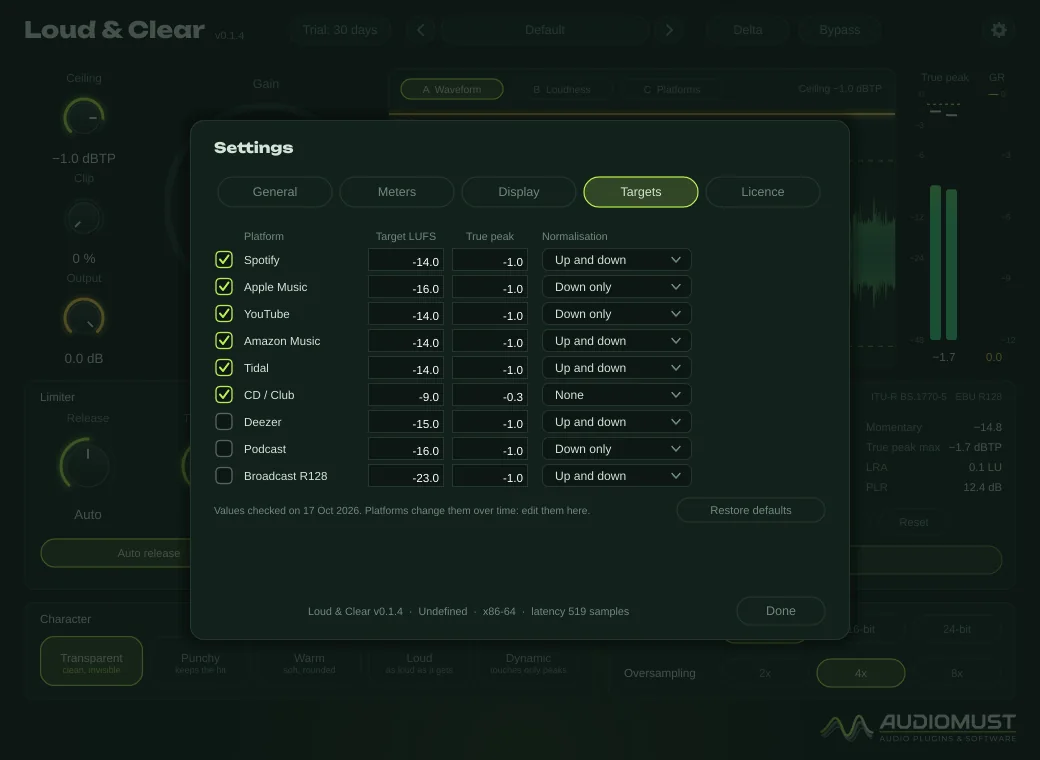
The default targets are Spotify −14 LUFS, Apple Music −16, YouTube −14, Amazon Music −14, Tidal −14 and CD / Club −9, plus Deezer, Podcast and Broadcast R128 (−23). Platforms change them over time, so every value can be edited in Settings → Targets.
Presets
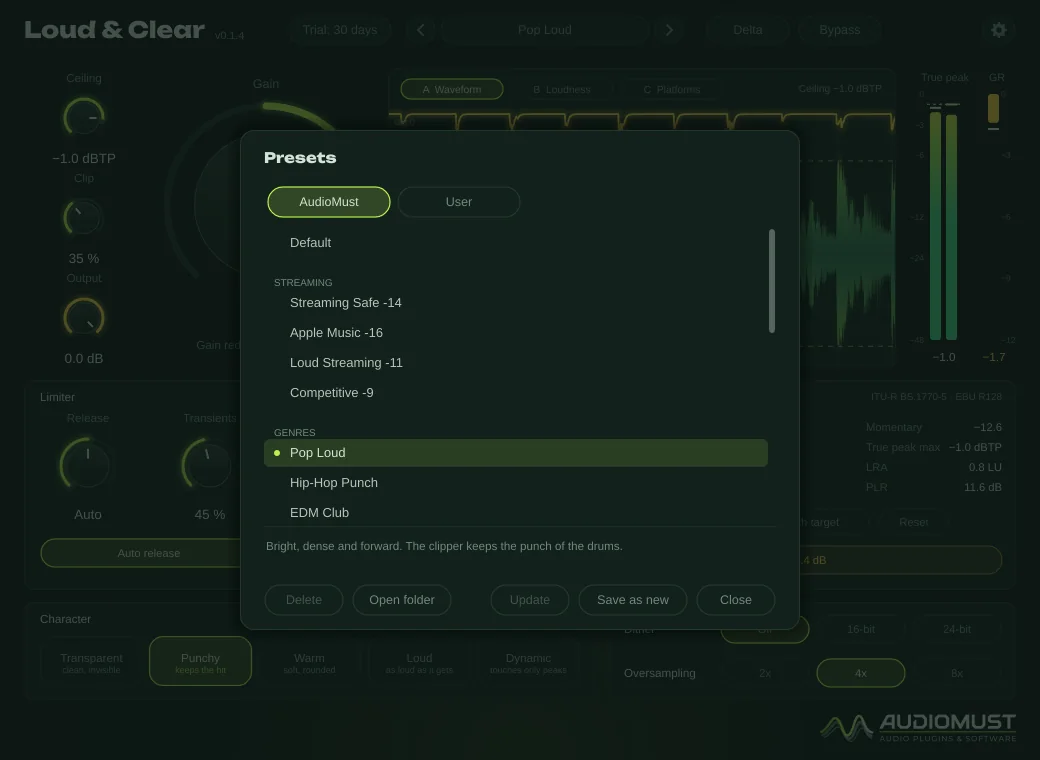
23 factory presets in the AudioMust tab. Their Gain is a starting point: press Match target to set it for your song.
- Streaming — Streaming Safe -14, Apple Music -16, Loud Streaming -11, Competitive -9.
- Genres — Pop Loud, Hip-Hop Punch, EDM Club, Rock Drive, Metal Dense, Acoustic Natural, Jazz & Classical, Lo-Fi Warm.
- Gentle — Gentle Master, Vocal Ballad, Glue Touch.
- Loud — Maximum Loud, Clipper First, Club Banger.
- Utility — Safety Limiter, Podcast Voice -16, Broadcast R128 -23, CD Final 16-bit.
Your own presets are .lcpreset files in ~/Library/Audio/Presets/AudioMust/Loud and Clear/.
Settings
- General — interface size (75–150 %).
- Meters — restart integrated loudness when playback starts; true-peak hold.
- Display — frame rate and detail.
- Targets — the loudness targets of every platform, editable.
- Licence — trial status, Machine ID and activation.
Measured
Measured through the plug-in’s sound engine on our test machine.
- Ceiling: 4320 torture runs (sweeps, noise, square waves, impulses, drums and bass; every character, gain, oversampling and sample rate). The output never went above the ceiling: the highest true peak was 0.014 dB under it.
- Loudness meters checked against the EBU Tech 3341 and 3342 test cases: all pass.
- Match target lands within 0.1 LU of the target.
- A sine pushed 6 dB into the limiter: under 0.001 % distortion (except Warm, by design).
Specifications
- Formats
- AU · VST3 · Standalone app
- System
- macOS 11 or later, Apple Silicon and Intel
- Ceiling
- True peak, −6 to 0 dBTP
- Metering
- ITU-R BS.1770 / EBU R128: M, S, I, LRA, true peak, PLR
- Latency
- About 11 ms at 44.1/48 kHz, reported to the DAW
- Presets
- 23 factory presets, plus your own
Requirements
macOS 11 or later, on Apple Silicon or Intel. A DAW that loads AU or VST3 plug-ins — tested in Ableton Live — or the standalone app. Put it last on the master track.
Screenshots
FAQ
How loud should my master be?
Most streaming services turn songs louder than about −14 LUFS down, so going much louder gains nothing there and costs dynamics. The Platforms view shows exactly how much each service will turn your song down.
Why do my drums sound roomier when I push it?
A limiter turns each hit down and lets the gain come back up after it, so the decay and room of every hit come up relative to the hit. The plug-in adds no reverb. Less Gain, a slower release or the Transparent or Dynamic character reduce it.
What happens when the trial ends?
After 30 days the audio drops out for 1.5 seconds every 45 seconds until you activate a licence. Everything else keeps working, including your sessions and presets.
Can I use it on more than one Mac?
Each licence key activates one computer. For a second Mac you need a second licence (set the quantity to 2 when you buy). If you replace your Mac, write to us and we move the licence to the new one.
How do I activate it?
Buy it and your licence key arrives by email straight away. In the plug-in, click the gear icon, then Licence, paste the key and press Activate. The computer must be online for the activation.
Does it need the internet?
Only now and then. Activation is online. For the first 120 days after purchase the plug-in checks its licence from time to time, in the background. After that the licence is permanent and works offline for good. If it has been offline for a long time in those first days, it asks you to connect once. The free trial works without the internet.